

apikey request header.
Creating a key
Keys are created in the portal, on the API Keys screen. You cannot create a key using another key — that is deliberate, so a leaked key can never mint replacements that survive you revoking it.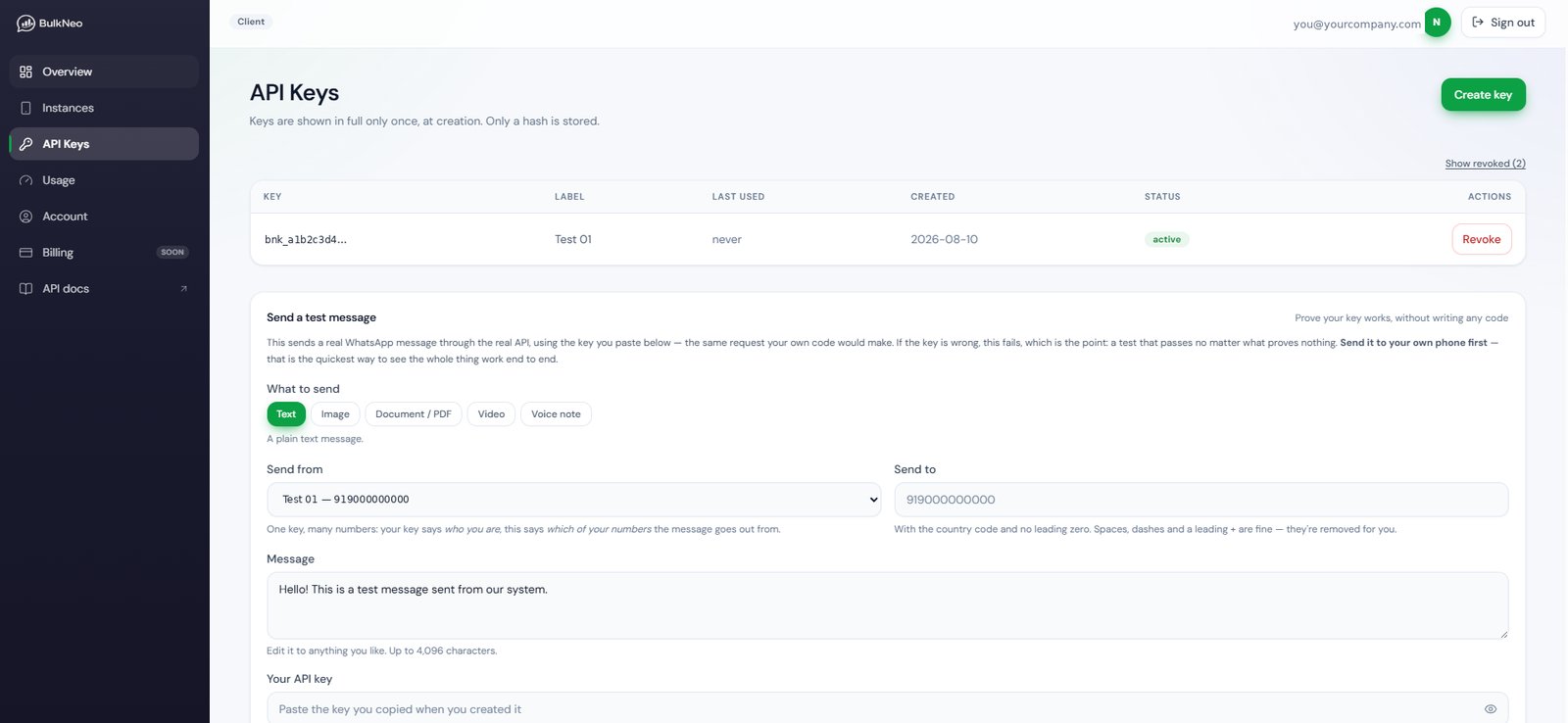
The API Keys screen
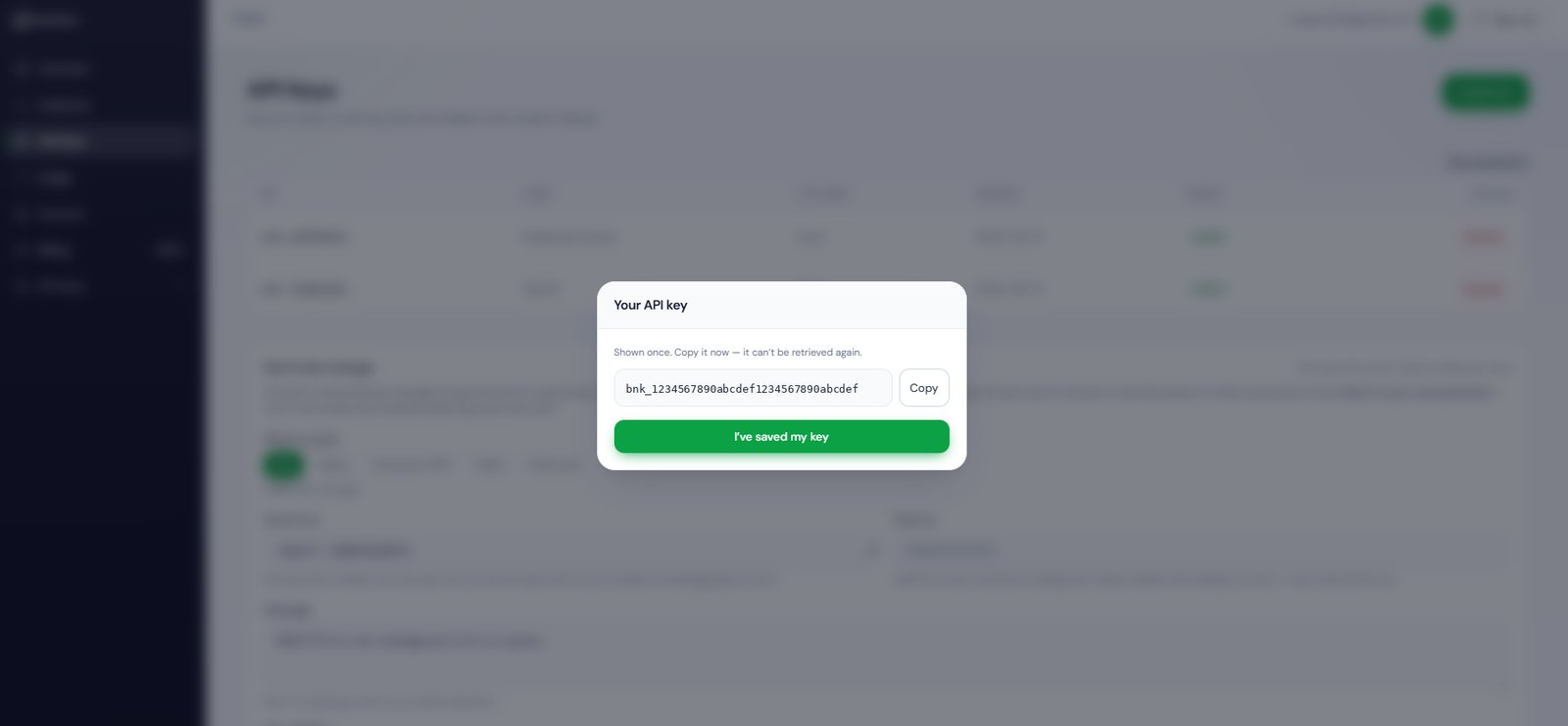
The only time the full key is ever shown
Where to keep it
Do
- Keep it on your server, in an environment variable or secret manager.
- Give each system its own key, labelled, so you can revoke one without touching the others.
- Rotate it if it ever appears in a log, a screenshot, a chat message or a git commit.
Do not
- Put it in a browser, a mobile app, or anything a user can view source on.
- Put it in a URL or query string — URLs end up in server logs and browser history.
- Commit it. Check your
.envis in.gitignorebefore the first push.
A key you type into the playground on this site stays in your own browser, so it is still filled in when you come back. That is your browser remembering a form, not this site storing anything — no key is ever published here, and every example uses
YOUR_API_KEY. On a shared machine, clear the site data afterwards. And if a real key has ever been pasted into a screenshot, a chat, a support ticket or a public page, revoke it — rotation is free and takes a minute.One key drives all your numbers
A key identifies your account, not a number. The same key can send from every number on your account — you choose which one per request, withinstance_id:
Revoking a key
On the API Keys screen, revoke the key you no longer want.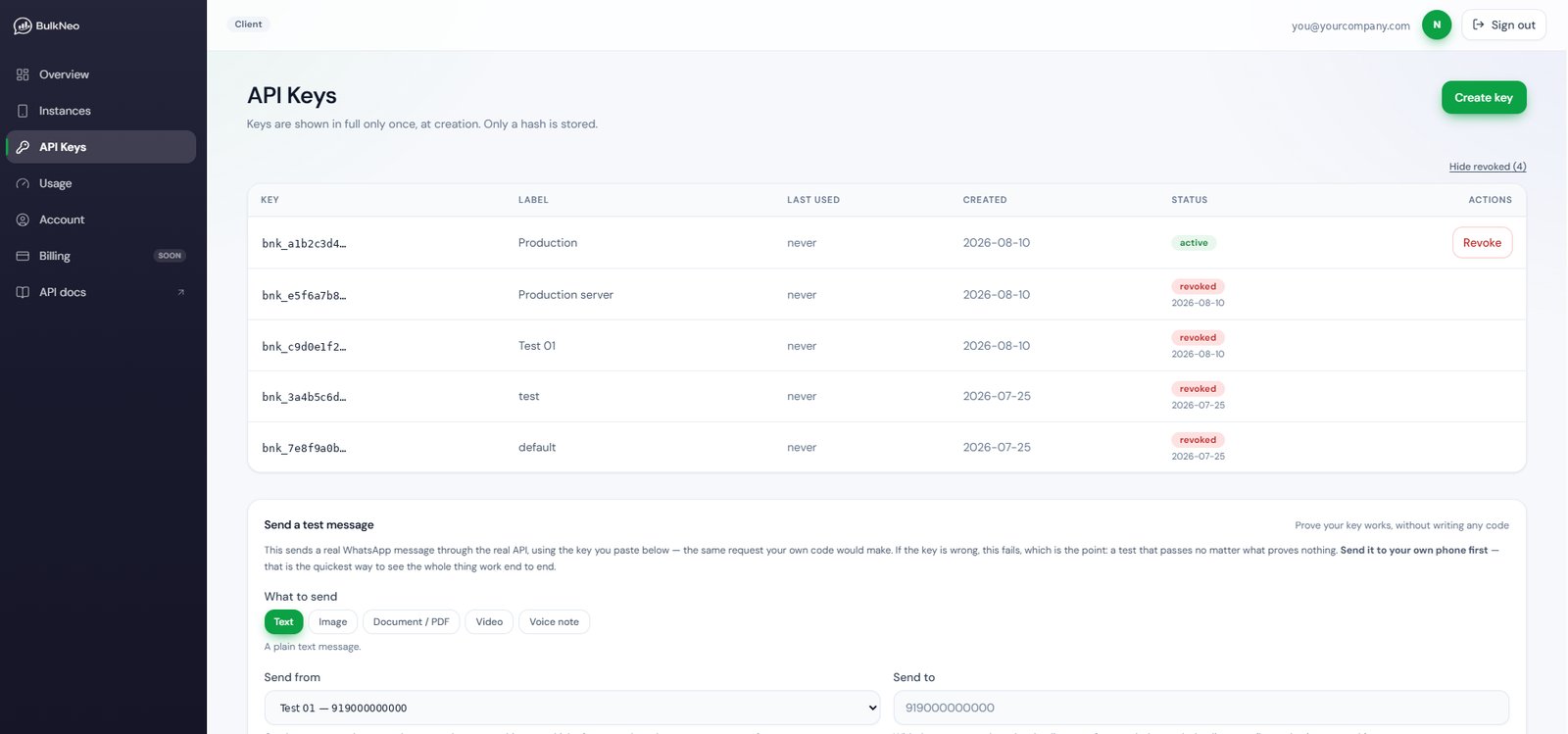
An active key with its Revoke button — the revoked ones below it are visible because Show revoked is switched on
401 invalid_api_key — exactly the same answer an entirely made-up key gets, so nobody can probe which keys once existed.
Rotating without downtime
Because an account can hold several live keys at once, rotation needs no maintenance window:1
Create the new key
Label it clearly, for example
billing-server-2026-08.2
Deploy it
Update the environment variable and restart. Both keys work at this point.
3
Confirm it is in use
The key list shows last used for each key. Wait until the new key shows recent activity and the old one has gone quiet.
4
Revoke the old key
Now revoke it. If something was still using it, that system starts failing with
401 invalid_api_key — which is exactly the signal you want.What else can block a valid key
A key can be perfectly valid and still be refused, because authentication is only the first gate. In order, a request is checked for:
Each is explained on the Errors page.
Testing a key
The cheapest way to prove a key works is to list your numbers. It sends nothing and costs nothing:200 means the key is good. A 401 means it is not.