Connect a number, create a key, and send your first WhatsApp message.
Five minutes, four steps. You need a BulkNeo account, a phone with WhatsApp on the number you want to send from, and something that can make an HTTP request.
Connect a number
Sign in to the portal and open Instances. Press Create instance, give the number a label you will recognise — Sales, Support, Delivery — and a QR code appears.On the phone that owns that WhatsApp number, open WhatsApp → Settings → Linked devices → Link a device, and scan the QR on screen.
The Instances screen, before any number is added
The pairing QR, waiting to be scanned
The status turns to Connected within a few seconds of a successful scan. The link stays active the same way WhatsApp Web does — you do not need to keep that page open.
Scan with the phone whose number you want to send from. Whatever number you scan is the number your customers will see the messages coming from.
Create an API key
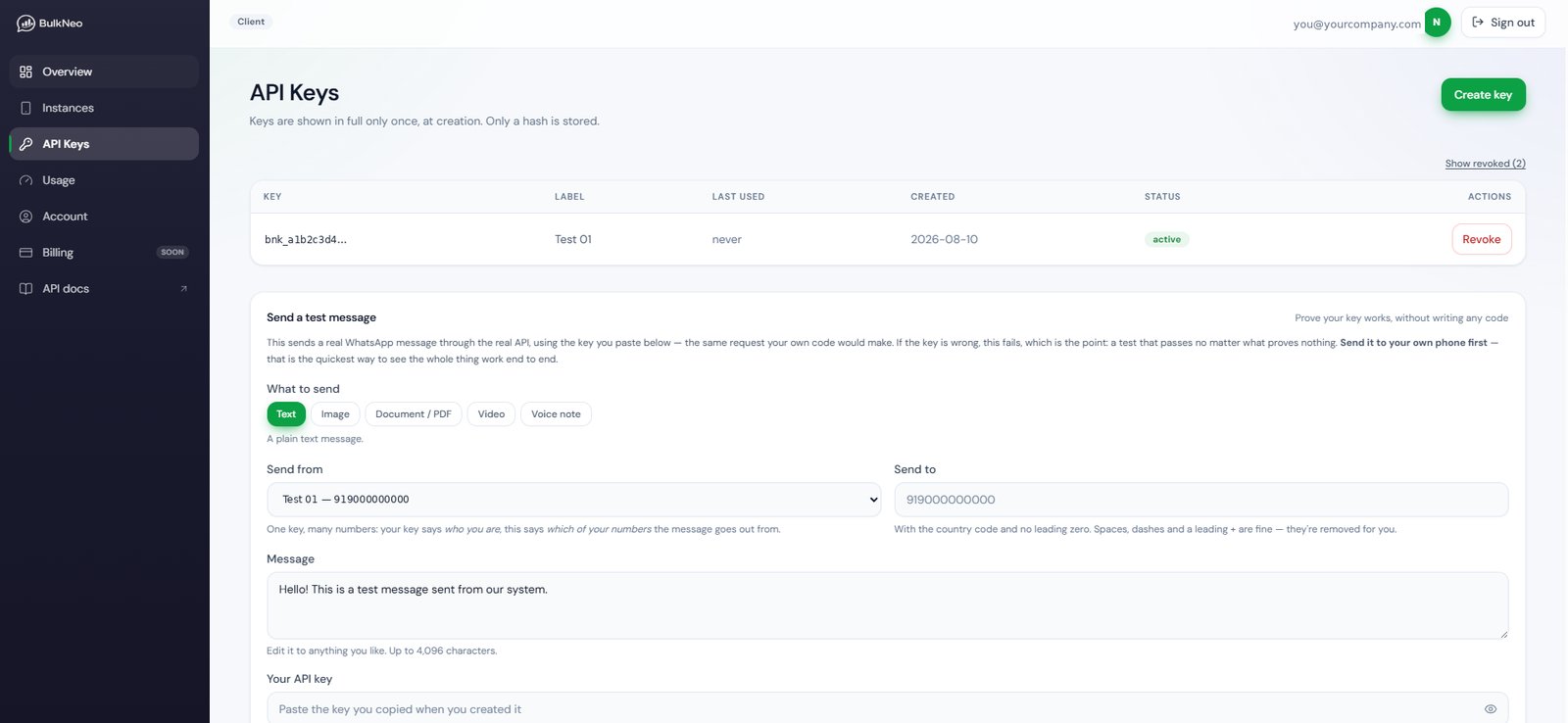
Open the API Keys screen and create a key. Give it a label so you know later which server it lives on.
The API Keys screen
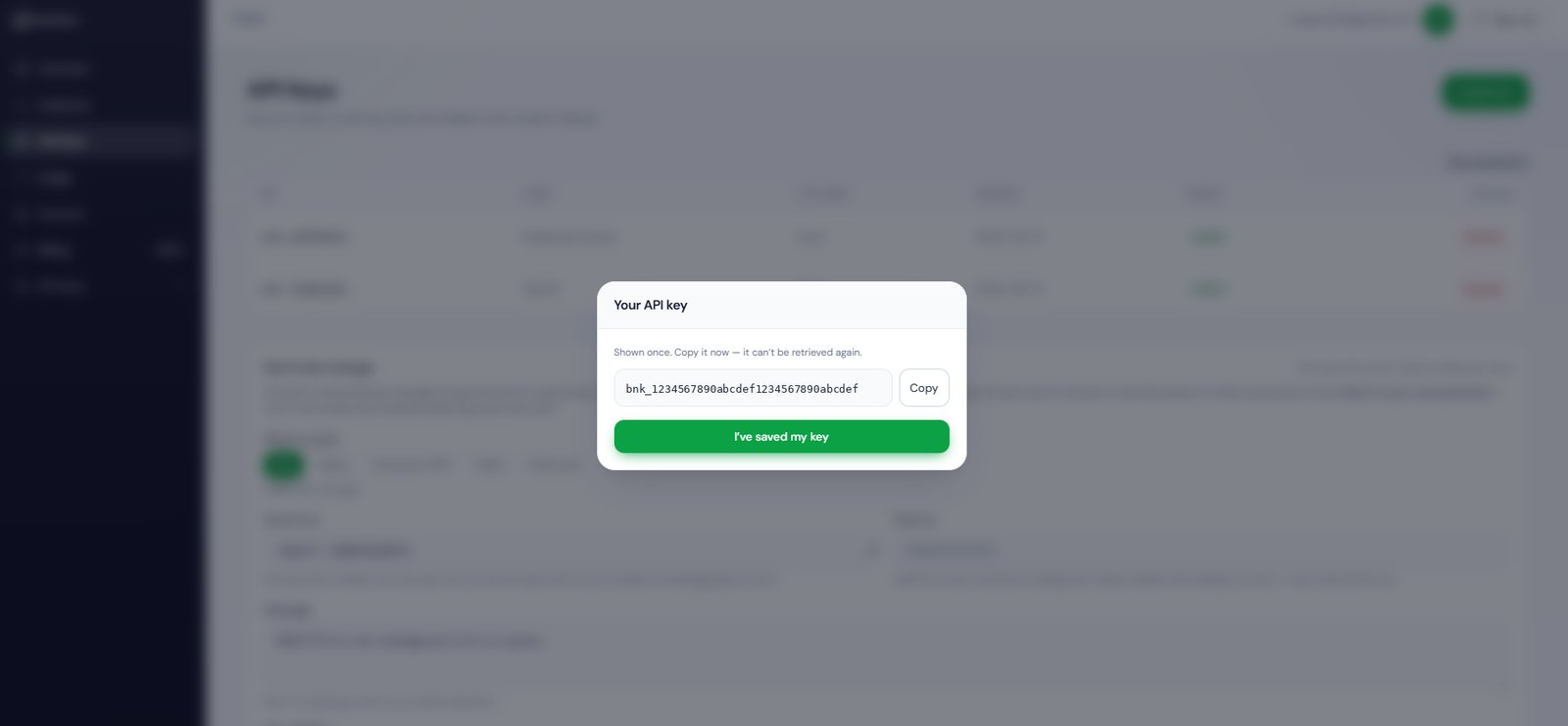
The key is shown once, and only once
The key is shown once. Copy it straight into your server’s environment variables or secret store. We keep only a hash of it, so nobody — including us — can show it to you again. If you lose it, revoke it and create another.
Find your instance_id
Every connected number has its own instance_id. It is shown next to the number on your Instances screen, in the Instance ID column, with a copy button.
Every connected number carries its own instance_id
This is the one idea worth reading slowly, because every example on this site uses both fields and they do different jobs.Your API key identifies your account — it is who you are.Your instance_id identifies one of your connected numbers — it is which of them the message goes out from.Picture a shop with three WhatsApp numbers: one for Sales, one for Support, one for Delivery updates. All three run on one key. Each request names the number it should leave from, so the order confirmation goes out from Sales and “your parcel is on its way” goes out from Delivery.
Sales instance_id: "3f9c…" ┐Support instance_id: "a1b7…" ├─ one API keyDelivery instance_id: "c8e2…" ┘
No second key, no second account, nothing extra to set up.
Every number keeps its instance_id for life. It does not change when a number drops off and someone re-scans the QR — so there is nothing to redeploy after a reconnect. See If your number disconnects.
to is the recipient’s number with its country code and no leading zero:
You have
Send
90000 00000 (India)
919000000000
+91 90000-00000
919000000000 or +919000000000
090000 00000
919000000000
Spaces, dashes, brackets and a leading + are accepted and stripped for you. What must remain is 6 to 15 digits. A number that fails that check comes back as 422 invalid_recipient.
Sending to numbers that are not on WhatsApp wastes your allowance and is one of the fastest ways to get a number restricted. Check a list first.